Wireless Doorbell Camera
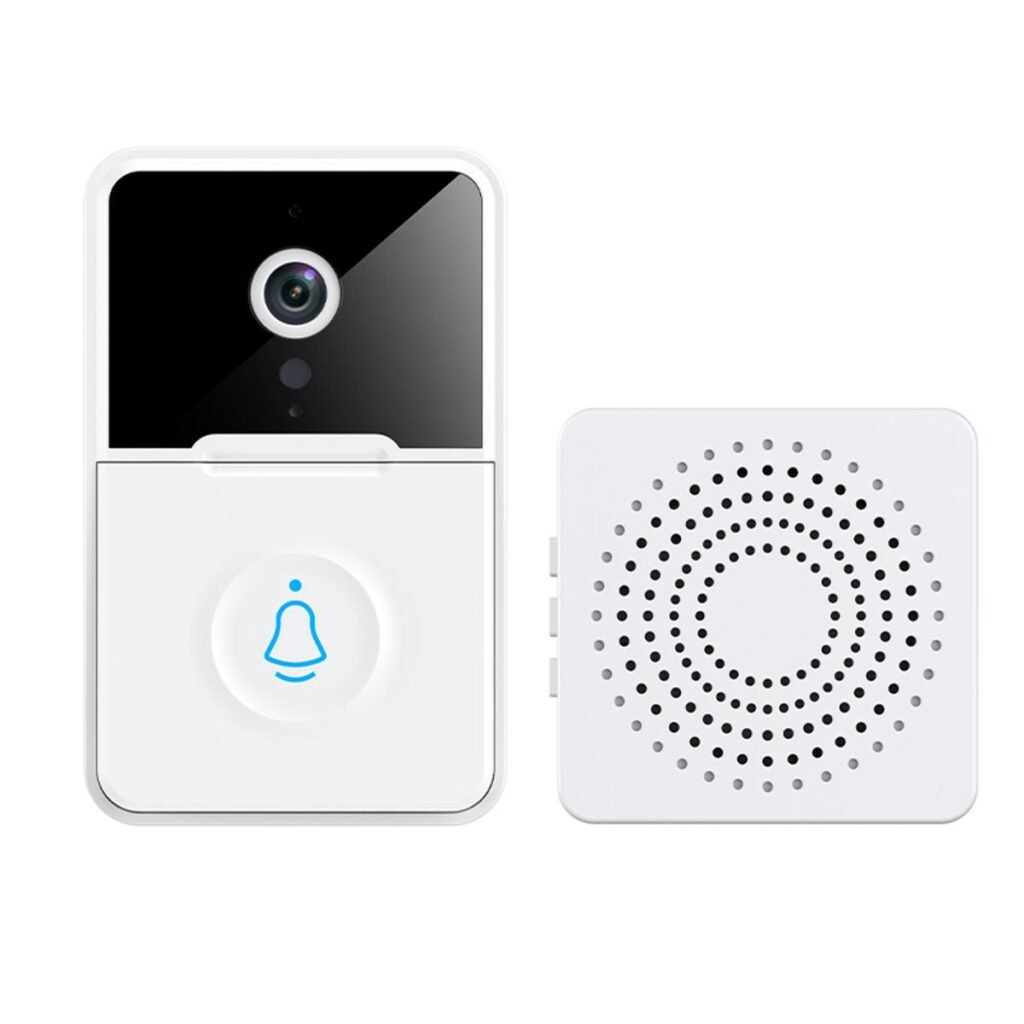
Wireless Doorbell Camera — A Complete Guide to Smart Home Entry Monitoring
A wireless doorbell camera is a smart home device that combines a doorbell with a video camera and often two-way audio, letting you see, hear, and speak with visitors at your door — even when you’re not home. Unlike traditional doorbells, these modern systems use wireless technology (Wi-Fi or battery power) so installation is straightforward and doesn’t require door-to-door wiring.
Wireless doorbell cameras are part of the broader trend toward connected, smart home security — providing convenience, peace of mind, and a visual record of activity at your entrance.
How a Wireless Doorbell Camera Works
A typical wireless doorbell camera includes:
- Camera Module: Mounted beside your door, capturing video of anyone who approaches.
- Motion Sensors: Detect movement and trigger alerts or recordings.
- Wireless Connectivity: Connects to your home Wi-Fi so you can access video on your phone.
- Two-Way Audio: Lets you talk with visitors through a built-in speaker and microphone.
- Mobile App Integration: View live feeds, receive alerts, and review recordings from your smartphone.
When someone presses the doorbell button or motion is detected, the camera sends a notification to your phone or connected device. You can then view live video and interact through the app.
Benefits of Using a Wireless Doorbell Camera
Remote Monitoring
See who is at your door in real time — whether you’re in another room, at work, or on vacation.
Improved Security
Motion alerts and video recordings help you monitor packages, identify strangers, and document activity near your home’s entry.
Two-Way Communication
Talk to visitors without opening the door. You can greet guests, provide delivery instructions, or deter potential intruders.
Easy Installation
No need to run wires through walls or connect to doorbell circuits. Most wireless models are battery-powered or plug into existing low-voltage power.
Activity History
Many systems record video clips when motion is detected, allowing you to review events later.
Key Features to Understand
Video Quality
Look for high-definition video (1080p or higher) to clearly see faces and details. Better cameras offer wider fields of view and higher resolution for more coverage.
Night Vision
Infrared or low-light sensors allow the camera to capture clear video even in the dark — useful for nighttime monitoring.
Motion Detection
Advanced motion sensors can trigger alerts when someone approaches or passes your doorway, even before they press the button.
Cloud or Local Storage
Recordings may be stored in the cloud (often requiring a subscription) or on a local microSD card, depending on the model.
Two-Way Audio
This feature allows you to listen and respond to visitors through your smartphone app, enhancing convenience and safety.
Typical Use Cases
Package Monitoring
Track delivery activity and deter package theft with motion alerts and video evidence.
Visitor Verification
See and speak with people at your door before opening it — ideal for screening guests or solicitors.
Remote Access for Families
KEEP family members informed — grandparents or teens can use the app to check who’s at the door too.
Nighttime Security
Motion detection and night vision help you monitor after dark without needing porch lights on all night.
Installation Basics
- Choose the Mounting Location
Place the camera at eye level or above the door, aiming to capture clear facial views. - Connect to Power
Wireless models may be battery-powered, rechargeable, or plug into a nearby outlet. - Connect to Wi-Fi
Use the manufacturer’s app to connect the doorbell camera to your home network. - Configure Settings
Adjust motion detection zones, alert preferences, and video quality from the app. - Test the System
Try ringing the doorbell and triggering motion to ensure notifications and video streams work as expected.
Privacy and Safety Considerations
Wireless doorbell cameras capture video around your property, so it’s important to:
- Secure your Wi-Fi network with a strong password.
- Enable secure login for the camera app to protect access.
- Check local regulations about recording video in public or shared areas.
Responsible configuration helps protect your privacy and that of visitors.
Comparison with Traditional Doorbells
| Feature | Wireless Doorbell Camera | Traditional Doorbell |
|---|---|---|
| Video Monitoring | Yes | No |
| Remote Alerts | Yes | No |
| Two-Way Audio | Often | No |
| Installation | Easy, no wires | Requires wiring |
| Security Features | High | Basic |
Wireless doorbell cameras add a layer of security and communication that traditional doorbells simply cannot offer.
Summary
A wireless doorbell camera is a modern smart home device that enhances your front-door monitoring with video, motion detection, two-way audio, and remote access. It combines convenience with improved security, letting you see, hear, and communicate with visitors from anywhere. Easy installation and advanced features like night vision, motion alerts, and recording make these devices a smart upgrade over traditional doorbells — giving you greater awareness and control over what happens at your doorstep.
If you’d like, I can explain how to choose the right wireless doorbell camera based on your home setup and needs — just tell me what features matter most to you!