Micro SD Card
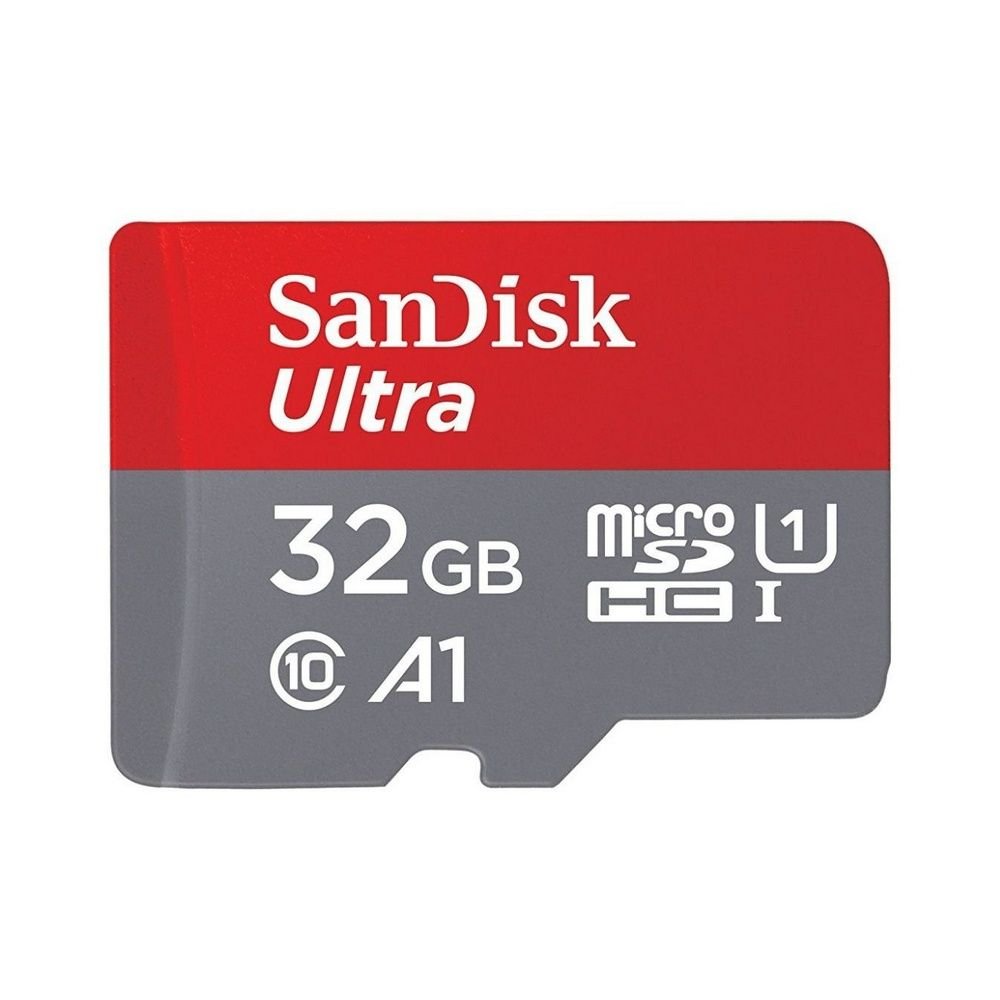
Micro SD Card — A Complete Guide to Portable, Expandable Storage
A Micro SD card (microSD for short) is a tiny removable flash memory card used to expand storage in a wide range of electronic devices. Despite its small size (roughly the size of a fingernail), a microSD card can hold gigabytes (GB) of photos, videos, music, apps, documents, and more — making it one of the most versatile and widely used storage media today.
Whether you’re using a smartphone, action camera, drone, tablet, or portable gaming device, a microSD card helps you carry more data and keep your device running smoothly without running out of space.
What Makes Micro SD Cards Useful
1. Expand Device Storage
Many devices have limited built‑in memory. A microSD card lets you add storage without paying for a higher‑capacity model.
2. Transfer Files Easily
Since it’s removable, you can move the card between devices or use an adapter to connect it to a computer.
3. Store Media on the Go
Photos, videos, music, and large files can all live on a microSD card — freeing up your device’s main memory for apps and performance.
4. Backup and Organization
Cards offer a simple way to keep backups of important files or separate work and personal data.
Where Micro SD Cards Are Commonly Used
- Smartphones and tablets — to hold extra photos, videos, and apps
- Cameras and action cams — for high‑resolution photos and 4K video
- Drones — for flight video storage
- Gaming consoles — for downloadable games and game saves
- Portable media players — for music and movie libraries
- Dash cameras & security cameras — for continuous footage recording
- Laptops (via adapter) — for extra document storage
Their flexibility makes them useful in nearly any gadget that supports removable storage.
Storage Capacities Explained
Micro SD cards come in a range of storage sizes, typically measured in gigabytes (GB):
- 16 GB – 32 GB: Great for basic storage like photos and small apps
- 64 GB – 128 GB: Good for moderate video and larger app libraries
- 256 GB – 512 GB: Excellent for high‑resolution video, large files
- 1 TB and above: Best for heavy media archives, 4K/8K videos, and large projects
The right size depends on how much data you expect to store and what your device supports.
Speed Classes and What They Mean
Not all microSD cards are created equal — speed matters especially for recording high‑quality video or running apps directly from the card. You’ll see markings like:
Speed Class
- Class 10: Basic guaranteed write speed (good for Full HD video)
- UHS‑I (U1/U3): Faster performance for video and burst photos
- V30/V60/V90: Video speed ratings suitable for 4K/8K recording
Higher speed ratings indicate faster data transfer, which helps with video recording and app performance.
Compatibility Tips
Check Your Device’s Limits
Not all devices support very large cards (like 512 GB or 1 TB). Your device’s manual or settings usually indicate maximum supported capacity.
Format as Needed
When you insert a new card, some devices ask to format it. Always back up first if the card has data.
Use a Reliable Brand
Storage matters — a reputable card helps protect your files and gives consistent performance.
How to Use a Micro SD Card
- Insert into your device’s SD slot: Usually labeled “microSD.”
- Set as storage (if prompted): Some smartphones let you choose “Internal” or “Portable” storage.
- Store files and apps: Save photos, videos, or install apps to the card based on your device’s settings.
- Eject properly: Always unmount before removing to prevent data loss.
Adapters for standard SD slots are available if you need to connect the card to laptops or cameras with larger slots.
Benefits at a Glance
| Feature | Benefit |
|---|---|
| Small size | Fits tiny devices without taking space |
| Removable | Easy file transfer and backup |
| Expandable storage | Gives more space without upgrading device |
| Fast speeds | Enables smooth video recording and playback |
| Portable | Carry large libraries in your pocket |
Everyday Uses
- Capture more photos and videos without worrying about space
- Store music libraries for travel or workouts
- Record long security camera clips without constant deletion
- Expand game storage on handheld consoles
- Organize project files separately from device memory
Micro SD cards are simple yet powerful tools that help you get more out of your tech, making sure storage limits don’t slow you down.
Summary
A micro SD card is a tiny yet powerful storage solution that expands memory capacity for phones, cameras, drones, gaming devices, and more. With varying capacities and speed ratings, microSD cards let you store and transfer photos, video, music, apps, and files easily and efficiently. Choosing the right size and speed for your needs—along with checking device compatibility—helps you make the most of your digital storage space.
If you want, I can explain how to choose the right microSD card size and speed for a specific device, like a phone or camera — just tell me what you’re using it for!