
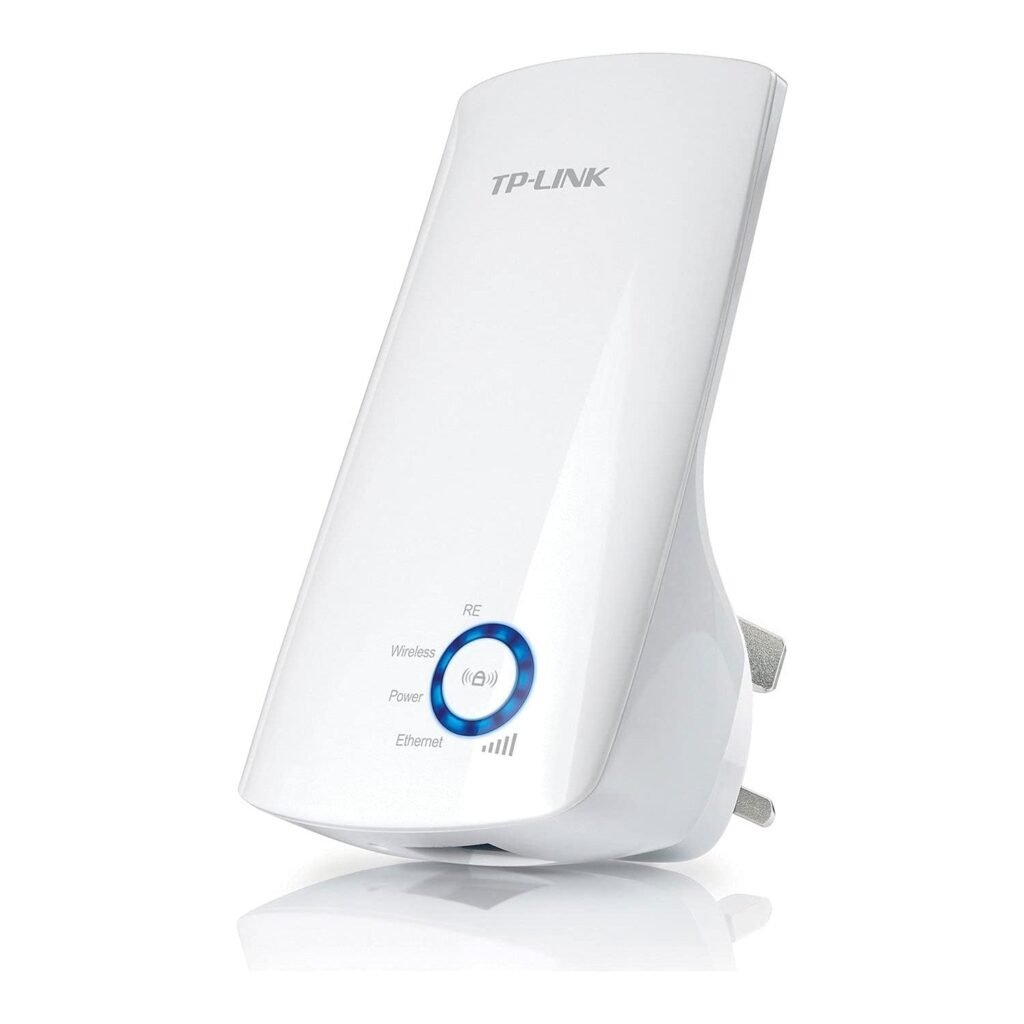
Wi-Fi Extender — A Complete Guide to Expanding Your Wireless Coverage
A Wi-Fi extender (also called a range extender, repeater, or wireless extender) is a device that helps broaden the reach of your existing wireless network. Instead of replacing your router, a Wi-Fi extender captures your current Wi-Fi signal and retransmits it farther, helping eliminate weak spots and “dead zones” in your home or office.
Whether you’re struggling to get reliable Wi-Fi in the back bedroom, garage, yard, or upstairs rooms, a Wi-Fi extender can help make your wireless coverage more consistent and usable throughout your space.
Why You Might Need a Wi-Fi Extender
Even with a strong router, wireless signals can diminish due to:
- Distance from the router
- Walls or floors that block signals
- Interference from appliances or neighboring networks
- Large or irregular-shaped spaces
- Multiple users and devices sharing bandwidth
In these situations, a Wi-Fi extender can help strengthen the signal where the router alone can’t reach effectively.
How a Wi-Fi Extender Works
A Wi-Fi extender essentially acts as a relay station between your router and your devices:
- It receives the existing Wi-Fi signal from your main router.
- It amplifies or repeats that signal.
- It broadcasts the extended signal to areas where the original network is weak or unavailable.
The extender uses your router’s credentials but may create a secondary network name (SSID) with a suffix (e.g., “HomeNetwork_EXT”). Devices can connect to this extended signal when they’re far from the main router.
Where to Place Your Wi-Fi Extender
Correct placement is key to performance. For best results:
- Position the extender within good signal range of the router (not too far).
- Avoid placing it behind thick walls, metal objects, or appliances.
- Ideally, put it midway between the router and the weak-signal area.
- Keep it elevated (on a shelf or high outlet) rather than on the floor.
Finding the right spot often involves a bit of trial and error — the goal is a balance between strong connection to the router and good coverage to the desired area.
Benefits of Using a Wi-Fi Extender
Improved Coverage
Expands wireless access to previously weak or dead zones.
Consistent Connectivity
Reduces drop-offs and buffering in distant rooms.
Supports Multiple Devices
Helps distribute network load across more corners of your home.
Easy Installation
Most extenders are plug-and-play or use simple smartphone setup wizards.
Affordable Upgrade
Cheaper than replacing your existing router with a high-end model.
Limitations to Understand
- Not as fast as the main router: Because extenders use the same channel to receive and retransmit data, speeds may be lower than the router’s direct signal — especially at greater distances.
- Multiple network names: Some extenders create a separate SSID, which can require manual switching on devices.
- Placement affects performance: Too far from the router and the extender won’t have enough signal to boost.
Because of this, extenders are most effective when used to fill gaps, not as primary routers.
Extender vs. Mesh Wi-Fi Systems
Another technology for broad coverage is a mesh Wi-Fi system. Here’s how it compares:
| Feature | Wi-Fi Extender | Mesh Wi-Fi System |
|---|---|---|
| Coverage | Extends specific areas | Covers entire home with seamless roaming |
| Network Name | Often multiple SSIDs | Single unified SSID |
| Speed Retention | May lose some speed | Designed to maintain performance |
| Setup Complexity | Simple | May require more setup |
| Cost | Affordable | Generally higher |
Extenders are cost-effective for smaller coverage gaps, while mesh systems are ideal for larger homes or spaces where seamless roaming matters.
How to Set Up a Wi-Fi Extender
Most extenders follow a similar process:
- Plug in the extender near your router for initial setup.
- Connect to the extender’s configuration network using a phone or computer.
- Follow the setup wizard (often via a web page or app) to link the extender to your home Wi-Fi.
- Choose the network you want to extend and enter the password.
- Place the extender in its final location once configuration is complete.
Many modern extenders also support WPS (Wi-Fi Protected Setup), which lets you connect with a simple press of a button if both router and extender support WPS.
Tips for Best Performance
✔ Keep the extender halfway between the router and target area — too close and it won’t help; too far and it won’t pick up enough signal.
✔ Use the same Wi-Fi name and password on both router and extender if your model supports it — for smoother device switching.
✔ Avoid electrical interference from appliances like microwaves or cordless phones.
✔ Update firmware when available to get security patches and performance improvements.
✔ Place the extender off the floor and away from obstacles.
Summary
A Wi-Fi extender is a simple, cost-effective way to improve your wireless coverage in areas where the router alone can’t reach. It captures your existing Wi-Fi signal, amplifies it, and redistributes it to reduce dead zones and strengthen connectivity in distant rooms or outdoor spaces.
With easy installation, affordable pricing, and flexibility for most home layouts, a Wi-Fi extender can be a practical upgrade to help ensure your devices — phones, tablets, laptops, smart TVs, and more — stay reliably connected throughout your home or office.
If you want, I can explain how to choose the best extender for your home size or router model — just tell me your layout or Wi-Fi needs!