
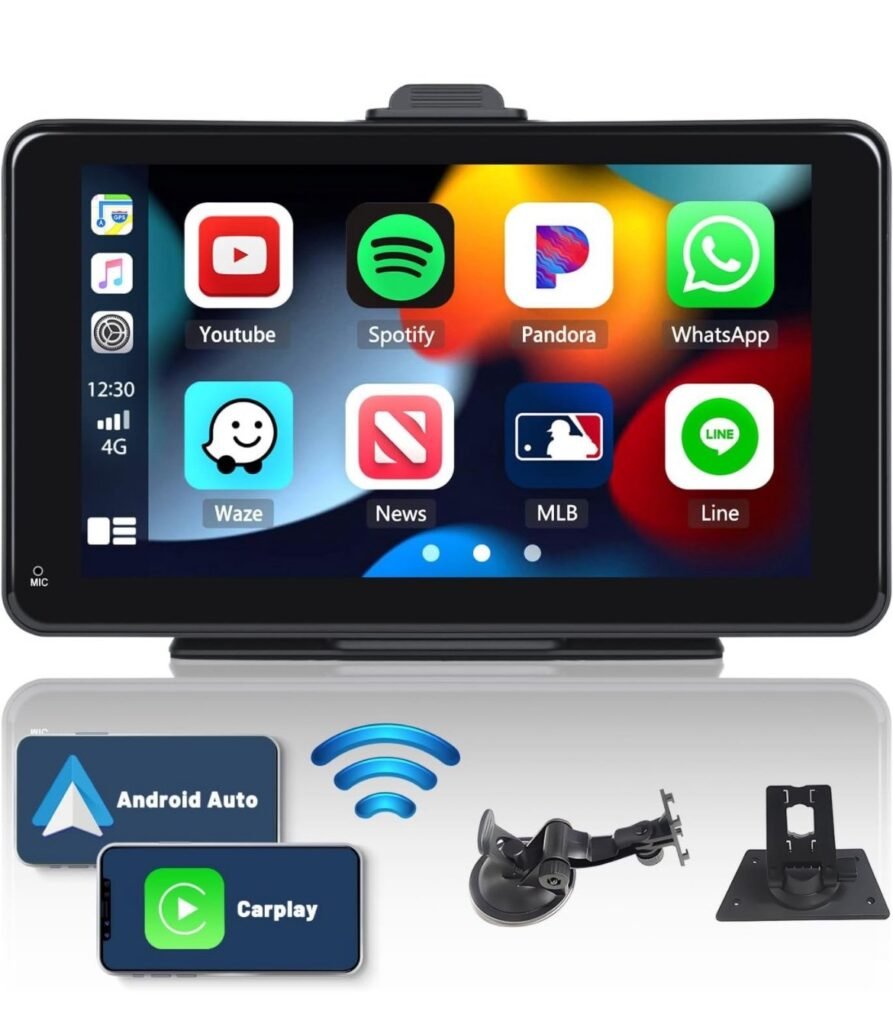
CarPlay Screen for Car — What It Is and How It Enhances Driving
A CarPlay screen refers to a vehicle display system that supports Apple CarPlay, a technology developed by Apple to bring key iPhone features into the car’s dashboard interface. Instead of using your phone directly while driving, CarPlay lets you access select apps and functions through the car’s infotainment screen — with simplified menus, large icons, voice control, and touch or dial input that’s designed for safer use on the road.
CarPlay has become a popular way to combine technology, convenience, and safety for drivers who want seamless access to navigation, communication, and media without distractions.
What Apple CarPlay Does
Apple CarPlay works by mirroring compatible parts of your iPhone onto a car’s screen. Once connected (either via USB or, in many newer systems, wirelessly), the CarPlay interface takes over the display and provides streamlined access to a set of key features:
Navigation
CarPlay supports mapping and routing — typically through Apple Maps, Google Maps, or other navigation apps — showing turn-by-turn directions, traffic updates, and estimated arrival times on the car’s screen.
Hands-Free Communication
Using CarPlay, drivers can:
- Make and receive calls
- Send and receive text messages
- Listen to voicemail
All of this can be done with voice control using Siri, minimizing the need for manual interaction.
Music and Audio
CarPlay integrates audio apps so you can stream:
- Music playlists
- Podcasts
- Audiobooks
- Radio and streaming services
Control is available via the car’s screen, steering wheel buttons, or Siri.
Voice Control with Siri
Siri lets you interact with the system using voice commands like:
- “Navigate to home”
- “Send a message to John”
- “Play my workout playlist”
This helps keep your hands on the wheel and eyes on the road.
How CarPlay Appears on a Car Screen
When enabled, the CarPlay interface replaces or shares the car’s original infotainment display. On the screen you’ll see:
- Map and navigation panel
- App icons similar to an iPhone home screen
- Music and audio controls
- Phone and messaging functions
- Settings and Siri prompts
The layout is tailored to be simple and readable — with large buttons and clear text — so it’s easy to use while driving.
Connecting Your iPhone to CarPlay
CarPlay can generally be accessed in two ways:
1. Wired Connection
Plug your iPhone into the car’s USB port using a Lightning cable. Once connected, CarPlay activates on the screen automatically.
2. Wireless CarPlay
In many newer vehicle models and aftermarket systems, CarPlay works wirelessly via Bluetooth and Wi-Fi. Once paired, the phone connects automatically when you start the car.
Both methods lead to the same simplified interface on the dashboard screen, but wireless CarPlay adds convenience by removing the need to keep your phone plugged in.
Benefits of a CarPlay Screen
Safer Access to Apps
CarPlay prioritizes essential driving-related functions in a simple interface, reducing distractions compared with using a phone directly.
Hands-Free Interaction
Voice commands help you keep attention on the road while still performing tasks like navigation or communication.
Seamless Integration
CarPlay works with many built-in car controls — steering wheel buttons, knobs, and touch screens — allowing familiar handling without learning new systems.
Consistent Experience
If you use CarPlay across multiple vehicles or aftermarket screens, the interface stays the same, so you don’t have to relearn menus each time.
Everyday Scenarios Where CarPlay Helps
- Driving in unfamiliar areas: turn-by-turn navigation keeps you on track.
- Busy commuting: sending quick messages with voice reduces distraction.
- Road trips: music, podcasts, and directions all in one place.
- Hands-free calling: important calls without manual phone use.
CarPlay turns the car screen into a central hub for driving-relevant digital interaction.
CarPlay vs. Traditional Radio Screens
Standard car screens often show only radio, vehicle settings, or basic vehicle info. When Apple CarPlay is supported:
- The interface prioritizes mobile apps that matter while driving
- Touch targets and menus are streamlined
- Voice control is deeply integrated
- Navigation and audio are accessible from a unified dashboard
This makes the experience feel more intuitive for iPhone users compared with traditional infotainment menus.
Summary
A CarPlay screen for a car is a dashboard display that leverages Apple CarPlay to extend select iPhone features into the driving environment. With hands-free communication, seamless navigation, simplified media controls, and voice commands, CarPlay helps drivers stay connected and on course — while prioritizing safety and ease of use.
By turning your car’s screen into a familiar, iPhone-friendly interface, CarPlay enhances everyday driving and long journeys alike — bringing music, maps, messages, and voice control together in one place.
If you want, I can explain what functions are supported by CarPlay and how they differ from Android Auto — just let me know!