
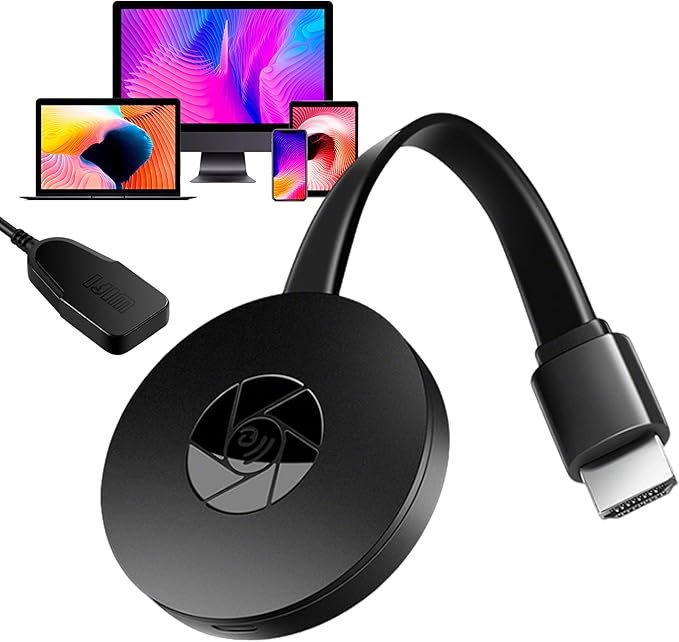
Upgrade Your Screen Experience with the Best Wireless Display Adapters
In today’s digital world, sharing content seamlessly from one device to another is essential. Whether for presentations, movie nights, or simply streaming from your laptop to your TV, a Wireless Display Adapter makes connecting devices effortless and cable-free. In this blog, we’ll explore why a wireless display adapter is a must-have, and highlight some of the best options available to enhance your viewing experience.
Why Choose a Wireless Display Adapter?
A Wireless Display Adapter lets you mirror or extend your screen from devices like laptops, smartphones, or tablets to larger displays such as TVs or projectors. Here are some reasons why these adapters are a game-changer:
- Cable-Free Convenience: No more tangled wires or hassle of connecting your devices. Simply wirelessly stream content to your TV or projector.
- Multi-Device Compatibility: Whether you’re using a Windows PC, Android device, or Apple product, many wireless adapters work across various platforms.
- Enhanced Viewing: Stream HD content, mirror presentations, or share your screen in seconds, making them perfect for entertainment or business purposes.
- Portable and Easy to Use: Most wireless display adapters are compact, making them easy to carry and set up wherever you go—ideal for meetings, presentations, or travel.
Best Wireless Display Adapters to Consider:
1. Microsoft Wireless Display Adapter
One of the most popular options, this adapter allows you to mirror your Windows or Android device’s screen to your TV with ease.
Price: $49.95
Why it’s great: Easy setup, solid compatibility with Windows and Android devices, and stable streaming of HD content. The small form factor and portability make it great for on-the-go use.
2. Google Chromecast
The Chromecast allows you to stream from virtually any device directly to your TV, including Android, iOS, Windows, and macOS devices. It’s more than just a display adapter—it’s a full streaming solution.
Price: $29.99
Why it’s great: Simple plug-and-play setup, supports a wide range of apps like Netflix, YouTube, and more. Chromecast supports voice control with Google Assistant, making it a smart choice for media lovers.
3. EZCast Wireless Display Receiver
The EZCast adapter supports a variety of platforms, including Windows, macOS, Android, and iOS. It also allows you to stream videos, presentations, and games.
Price: $39.99
Why it’s great: Supports both HDMI and VGA outputs, making it versatile for both modern TVs and older projectors. Plus, it can mirror your screen or extend it for multi-tasking.
4. Anker Wireless Display Adapter
Anker is known for high-quality electronics, and their wireless display adapter is no exception. With high-definition streaming and low-latency performance, it’s perfect for both business and entertainment.
Price: $39.99
Why it’s great: Low latency, easy setup, and it works with a range of devices, making it ideal for professional presentations or movie nights at home.
5. Actiontec ScreenBeam Mini 2 Wireless Display Adapter
Perfect for home use or office environments, the ScreenBeam Mini 2 offers seamless wireless streaming with a focus on ultra-low latency and smooth video playback.
Price: $49.95
Why it’s great: Excellent for Windows and Android devices. Supports streaming in full HD (1080p) with minimal lag, perfect for gaming, movies, or business presentations.
How to Choose the Best Wireless Display Adapter:
- Device Compatibility: Make sure the wireless display adapter is compatible with your device—whether it’s a Windows laptop, MacBook, Android phone, or iPhone.
- Streaming Quality: Look for an adapter that supports HD or 4K content if you’re streaming videos or gaming. You’ll want minimal lag and high-quality picture resolution.
- Ease of Setup: Some adapters require more technical knowledge than others. Choose one that offers easy setup with minimal effort for convenience.
- Range and Stability: If you’re in a large room or need a stable connection for presentations, consider an adapter with a wider range and a reliable wireless connection.
- Additional Features: Some wireless display adapters offer extra functionality, like built-in streaming apps (for Chromecast) or multi-screen support.