2026 wireless CarPlay
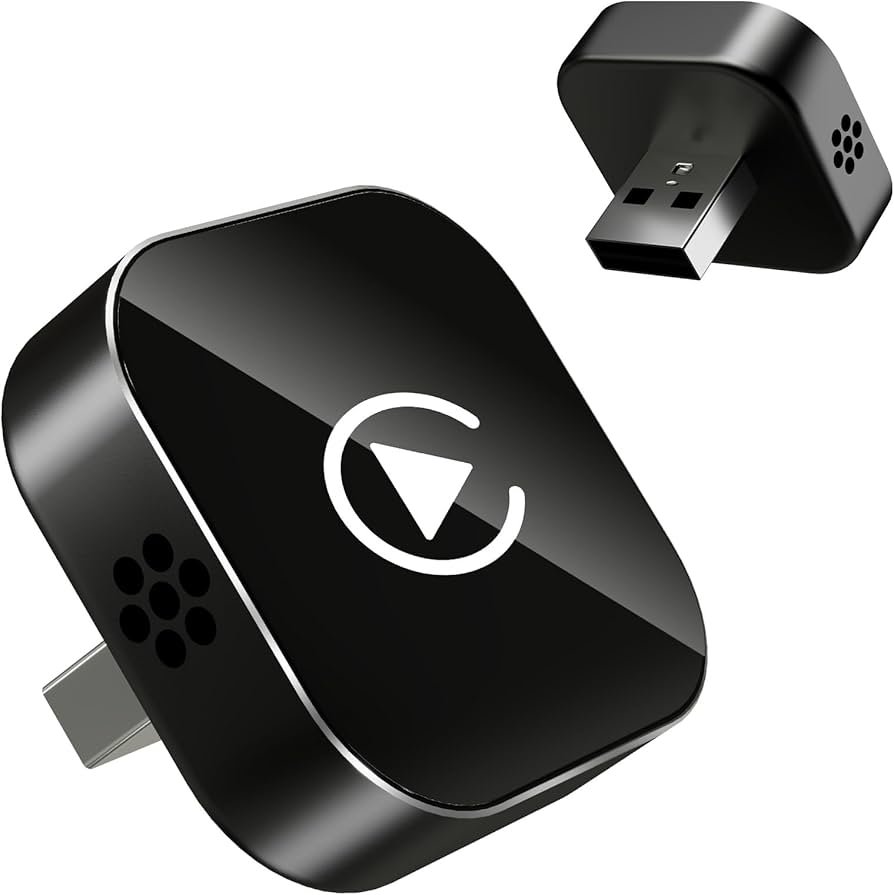
2026 Wireless CarPlay — A Complete Guide to the Latest In-Car Connectivity
Wireless CarPlay is Apple’s technology that lets you connect your iPhone to your car’s infotainment system without a USB cable. In 2026, Wireless CarPlay is more advanced, more reliable, and more widely supported than ever — offering a seamless, cable-free experience that turns your car’s display into a powerful extension of your iPhone.
This guide explains how Wireless CarPlay works, what’s new in 2026, the benefits, common features, and how it’s changing the way we interact with cars and smartphones on the road.
What Wireless CarPlay Is
Wireless CarPlay allows an iPhone to connect to a car’s infotainment screen over Wi-Fi and Bluetooth, giving drivers access to:
- Navigation (Apple Maps, Google Maps, Waze)
- Hands-free calls and messages
- Music, podcasts, and audio apps
- Voice control via Siri
- Calendar and reminders
- Third-party apps optimized for driving
All of this works without plugging in a Lightning or USB-C cable. Once paired, your iPhone connects automatically each time you enter the car.
How CarPlay Works Wirelessly
Wireless CarPlay combines two wireless technologies:
- Bluetooth
Used for initial pairing and establishing a basic connection between your iPhone and car. - Wi-Fi
Provides high-speed data transfer so apps and graphics run smoothly on the car display while keeping latency low.
Together, these allow your phone to communicate with the car in real time — everything from navigation to music streaming happens instantly and wirelessly.
What’s New in 2026
Improved Connectivity
Earlier versions of wireless CarPlay sometimes experienced brief dropouts or delays. In 2026, improved wireless protocols and stronger Wi-Fi integration have made connections more stable and faster than ever.
Broader Vehicle Support
More car models — even in mainstream and budget lineups — now support Wireless CarPlay as a standard or optional feature, not just a premium add-on.
Enhanced App Integration
Apps designed for CarPlay are more responsive and support expanded functionality:
- Deeper maps and navigation features
- Real-time traffic updates
- Customizable media displays
- Advanced voice shortcuts with Siri
Multi-Device Pairing
Some systems now support simultaneous pairing of multiple phones — useful if multiple drivers use the same car.
Personalized Profiles
Cars with advanced infotainment now let each paired phone load its own CarPlay profile, settings, and layout preferences.
Key Features of Wireless CarPlay
1. Hands-Free Navigation
Apple Maps (and many third-party navigation apps) deliver turn-by-turn directions, speed limits, lane guidance, ETA, and live traffic — all without cables.
2. Voice Control with Siri
You can ask Siri to:
- Send or read messages
- Call contacts
- Play music
- Change routes
- Set reminders
This keeps your eyes on the road and hands on the wheel.
3. Messaging Integration
CarPlay supports dictation and reading of texts, iMessages, and compatible messaging apps so you can stay connected safely.
4. Entertainment on Demand
Music, streaming radio, audiobooks, and podcasts from Apple Music, Spotify, Pocket Casts, and more play with CarPlay interfaces optimized for driving.
5. Easy Access to Useful Info
Widgets and app shortcuts let you see calendar events, weather, reminders, and directions at a glance.
Benefits of Wireless CarPlay
No Cable Clutter
You don’t need to plug or unplug your phone each time you get in the car. Perfect for everyday convenience.
Automatic Connection
Once set up, CarPlay connects automatically whenever you sit in the car with your iPhone.
Safer Driving
Because CarPlay displays essential info in a driver-friendly format and supports voice commands, it reduces distractions behind the wheel.
Better Battery Management
While wireless charging may still be recommended, the improved protocols in 2026 help reduce unnecessary power use so your phone doesn’t drain too quickly.
Clean Dashboard
No cables dangling around — just your phone and your car’s screen working smoothly together.
How to Set It Up
- Ensure Your iPhone Supports CarPlay
Wireless CarPlay works with iPhone models running recent versions of iOS. - Pair with Your Car
Go into your car’s Bluetooth/Wi-Fi settings and pair your iPhone with the vehicle. - Enable CarPlay
Follow your car’s prompts to activate Wireless CarPlay. - Trust the Car
On first connection, confirm on your iPhone that you trust the vehicle. - Automatic Reconnection
After setup, your iPhone should connect wirelessly when the car detects it.
Tips for Best Wireless CarPlay Experience
- Update iOS and Your Car’s Software
Keeping both up to date ensures smooth performance and compatibility. - Use Wireless Charging When Possible
Wireless CarPlay uses energy; placing your phone on a wireless charger can help maintain battery life during long drives. - Check Your Car’s Antenna and Wi-Fi Settings
Strong signal coverage inside the cabin improves responsiveness. - Avoid Signal Interference
Remove phone cases or accessories that might block Wi-Fi or Bluetooth signals if experiencing dropouts.
Compatibility Considerations
Wireless CarPlay is supported in many new vehicles from major automakers, but exact features can vary by model and year. Some older vehicles may have CarPlay capability only with a cable. For those cars, aftermarket wireless CarPlay adapters exist that can convert a wired CarPlay system into a wireless one.
Summary
In 2026, Wireless CarPlay is faster, smarter, and more stable than ever — offering drivers a seamless, cable-free way to connect their iPhones to their cars. With automatic pairing, robust app support, hands-free control, and broader vehicle integration, Wireless CarPlay enhances safety, convenience, and enjoyment on the road.
Whether you’re commuting, navigating unfamiliar roads, catching up on messages, or streaming audio, Wireless CarPlay lets your car’s display become a powerful and intuitive extension of your iPhone — without a single cable.
If you’d like, I can explain how to check if your specific car model supports Wireless CarPlay — just tell me the make and year of your vehicle!